You get the issue, the options, and the trade-offs without the jargon.
Delaware managed technology
Technology that works as hard as you do.
Practical IT support, solid networks, and straight answers for Delaware businesses. No layers of sales talk. Just experienced help from a team that knows the work.
Proudly serving Delaware
Local from end to end.
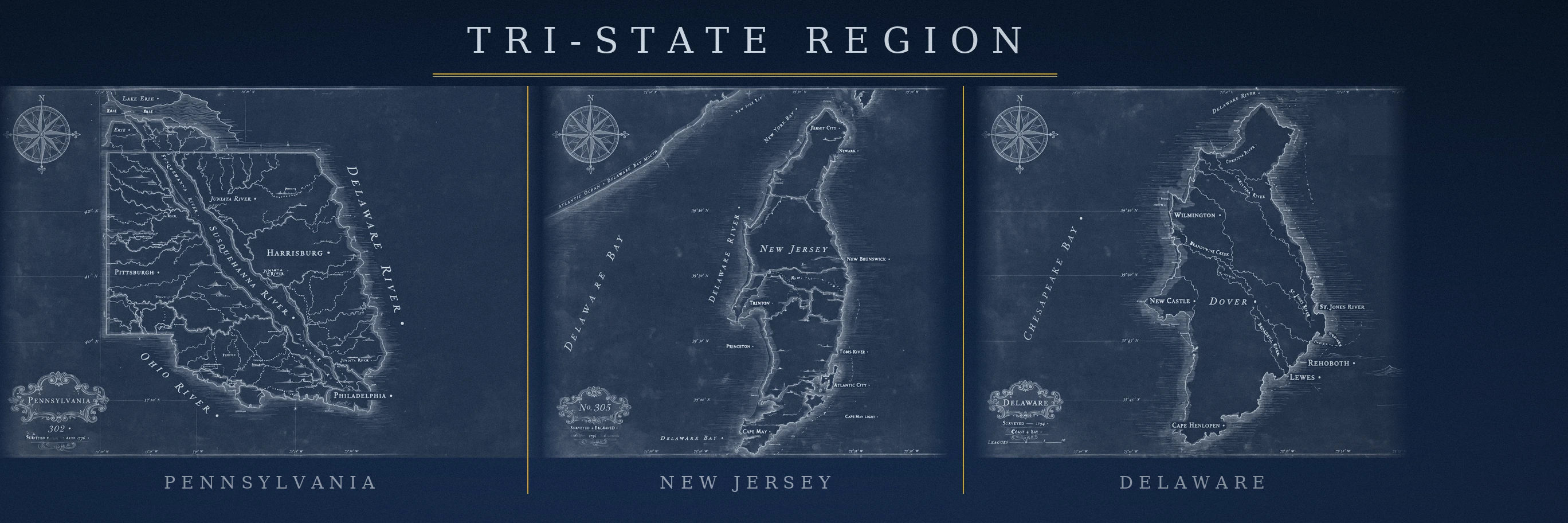
Based in central Delaware and serving businesses statewide—from Wilmington through Dover and Georgetown to Rehoboth, the beaches, and the towns in between.
WilmingtonMiddletownSmyrnaDoverMiltonGeorgetownMillsboroRehoboth & the beachesAll of Delaware
The Tezla standard
Measure twice. Fix it right.
Technology should make your business steadier, not busier. Every recommendation starts with how your people actually work.
Documented systems, labeled connections, and infrastructure the next technician can understand.
We build for reliability, easy upkeep, and what your business will need next.
Services
The essentials, handled.
A dependable technical team for the systems behind your day-to-day work.
Managed IT
Ongoing care for workstations, servers, Microsoft 365, vendors, updates, and the loose ends that eat up your day. We keep your systems organized and take responsibility for them.
Network Infrastructure
Network equipment, Wi-Fi, firewalls, cabling, connections between buildings, and new-site setups — planned, installed, labeled, and tested.
Cybersecurity
Protection sized to your business: who can log in to what, security on every computer and phone, tested backups, and a clear plan for the day something goes wrong.
Help desk
A real person to call when the printer stops, the login fails, or an application gets in the way. Calm troubleshooting and clear follow-through.
Smart Hands
Certified technicians on-site across the Tri-State Region for rack & stack, cabling, hardware swaps, surveys, and on-site hands for MSPs and IT teams. See Smart Hands →
H-Lease
New business hardware — laptops, desktops, servers, networking — for one predictable monthly payment. No big upfront cost, new equipment on a schedule, and we manage it. See H-Lease →
Your AI Design, Built Exactly
Built a website in Muse — or ChatGPT, Gemini, or any AI tool — and love how it looks? Send us the packet. We build it exactly as designed: pixel for pixel, word for word, no redesign and no “improvements.” Your design stays yours, and changes happen only when you ask for them. Start with your design →
Don’t feel like scrolling? Every service on one screen — pick a charm and go. Opens in Microsoft Edge.
Open the Command Center in Edge →Technology stack
Proven names. One accountable team.
We resell, deploy, configure, and support the platforms behind dependable business technology—from the cloud to the rack.
Cloud & productivityArtificial intelligenceCybersecurityNetworksServers & devicesVirtualizationPower protectionVoice


Product selection is based on fit, lifecycle, and supportability—not a one-brand-fits-all playbook.
Industries
Support shaped around the shop.
Different businesses fail in different ways. We learn the workflow first, then build around it.
Law firms
Protect confidential work, keep case systems accessible, and make remote access dependable.
See IT for law firms →Veterinary practices
Keep clinical, front-desk, imaging, and treatment-area technology working together.
See veterinary IT →Industrial
Strong plant networks, segmented systems, and infrastructure that can take a real working environment.
See industrial IT →Agriculture
Extend reliable connectivity to offices, barns, outbuildings, irrigation controls, and field operations.
See agriculture IT →Property management
Building-wide WiFi, cameras, and access control for the portfolio — plus discounted IT for every tenant in the building.
See property management IT →Pop Up IT
Festivals, rallies, shows, weddings, and gatherings — full event IT and WiFi that sets up fast and disappears clean.
See Pop Up IT →Sound & AV
Conference rooms, churches, and venues — sound, displays, cameras, and streaming that just works.
See sound & AV →Dental practices
Operatory, imaging, front-desk, and practice-management tech that keeps the schedule intact.
See dental IT →Real estate
Agents and brokers who sell from their phones — plus the office tech behind every closing.
See real estate IT →New construction
Home builders — every new home pre-wired Network Ready: WiFi, cameras, gates, and outbuildings.
See New Construction →IT consulting
Got a big project? Need a consultant? Project-based IT delivery — scoped, planned, and handed off clean.
See IT consulting →E-Waste
Retired computers, servers, and phones piling up? We collect your old IT hardware, triage what's usable, and give good gear a second life.
See E-Waste services →Law firms
Keep the practice moving. Keep client work protected.
A law firm cannot wait on unreliable access, mystery outages, or a vendor blame game. We keep the underlying systems understandable and supportable.
01
Secure accessPractical controls for identity, devices, email, remote work, and shared files.
02
ContinuityBackups, recovery planning, and clear ownership when a critical system is unavailable.
03
Talk about your firm
Vendor coordinationA technical team coordinating practice software, internet, phones, printers, and building vendors.
Veterinary practices
Technology that stays out of the exam room’s way.
From reception to treatment, the practice depends on a chain of connected systems. Tezla Group brings years of veterinary IT experience to the full environment.
01
Practice-wide reliabilityWorkstations, wireless, printers, imaging connections, and the network they share.
02
Low-disruption supportTroubleshooting built around appointments, patient care, and a busy front desk.
03
Talk about your practice
Growth-ready infrastructureThoughtful technology planning for remodels, new locations, and expanding teams.
Industrial
Infrastructure built for the floor, not the conference room.
Plants and production sites demand thoughtful segmentation, durable coverage, and a team that understands how physical work changes the network.
01
Plant networkingSwitching, fiber, wireless coverage, firewalling, and structured handoffs across the site.
02
Clear boundariesThoughtful separation between business systems, production technology, cameras, guests, and vendors.
03
Talk about your facility
Site coordinationAn experienced project team to bring cabling, hardware, remote vendors, and the handoff together.
Agriculture
Reliable connections beyond the office walls.
Modern farm operations rely on connectivity across distance, weather, metal buildings, and equipment. We plan around the property you actually have.
01
Outbuilding connectivityPractical links and Wi-Fi coverage for barns, shops, storage, and detached work areas.
02
Connected operationsNetwork planning for irrigation technology, cameras, sensors, and office systems.
03
Talk about your operation
Maintainable designDocumented equipment and straightforward layouts that can be serviced without guesswork.
Property management
One technology partner for every building in the portfolio.
Property managers juggle tenants, vacancies, cameras, WiFi complaints, and access changes across every building. We give the whole portfolio one throat to choke — managed building wireless, cameras, and access control for the manager, with discounted IT, phones, and Fry available to every tenant.
01
Communal wirelessManaged building-wide WiFi for lobbies, common areas, and units — a billable amenity instead of a complaint line.
02
Portfolio-wide ITOne partner across every building: cameras, access control, network infrastructure, and move-in/move-out support.
03
Talk about your portfolio
Tenant advantageEvery tenant in the building gets discounted managed IT, phones, and Fry — a leasing perk you can put in the listing.
Pop Up IT
Event IT that sets up fast and disappears clean.
Festivals, motorcycle rallies, shows, weddings, and social gatherings all run on connectivity now — ticketing, vendors, point of sale, livestreams, guests. We bring the network, the WiFi, the support, and the teardown. You run the event; we run the tech.
01
Event networksTemporary wired and wireless networks for staff, vendors, ticketing, and point of sale — designed for crowds, torn down clean.
02
Guest & vendor WiFiSegmented, high-density wireless that holds up when a thousand phones show up at once.
03
Talk about your event
On-site supportA real technician on site for setup, showtime, and teardown — so nothing technical interrupts the day.
Sound & AV
Rooms that sound like they should.
From the boardroom to the sanctuary, bad audio kills the moment. We design and install sound, displays, cameras, and streaming for conference rooms, churches, and venues — tuned, tested, and supported by one team.
01
Conference roomsDisplays, microphones, cameras, and one-touch meeting joins for rooms people actually use.
02
Churches & venuesSound, livestreaming, and stage AV designed for the room — channels, streaming, all of it.
03
Talk about your room
Installed & supportedDesigned, installed, tuned, and supported by one team — not a box of gear and a prayer.
Dental practices
Chairside tech that doesn't slow the schedule.
A dental practice runs on a tight schedule — imaging, practice management, operatory tech, and the front desk all have to work the first time. We keep the whole chain reliable and the schedule intact.
01
Operatory & imagingChairs, sensors, imaging software, and the network they share — reliable when the patient is in the chair.
02
Practice managementFront-desk systems, scheduling, billing, and patient communications that stay up.
03
Talk about your practice
Compliance-minded ITPractical safeguards for patient data, backups, and access controls.
Real estate
Tech for people who sell from their phones.
Agents and brokers live on mobile — listings, showings, contracts, closings — backed by an office that has to just work. We keep the devices, the WiFi, the CRM, and the office tech reliable, so the deal never waits on IT.
01
Agent mobilityPhones, laptops, tablets, and hotspots set up right and kept working — the office in your pocket.
02
Office & listings techWiFi, printers, conference-room displays, and CRM and email that behave on closing day.
03
Talk about your brokerage
Brokerage ITMulti-agent offices: onboarding, devices, shared systems — one partner for all of it.
New construction
Every home you build, Network Ready.
Buyers feel the difference between a house with WiFi and a home that was built for connectivity. We partner with Delaware home builders to pre-wire every new home — network, WiFi, cameras, gates, and outbuildings — before the drywall goes up.
01
Pre-wired during rough-inCat6A to every bedroom, office, and living area, ceiling drops for WiFi access points, and a clean labeled central panel — coordinated with your electrician, zero hassle for your crew.
02
Cameras, gates & access controlPre-wire for doorbell and perimeter cameras, gate access, and garage doors — plus outbuildings: barns, workshops, and pool houses linked back to the main home.
03
Partner with us
Builder partner programPreferred builder pricing, a per-home partner incentive, and a Network Ready badge for your listings. Your buyers get a smarter home; you get a Network Ready differentiator for your listings.
IT consulting
Got a big project? Need a consultant?
Some jobs are bigger than a support ticket: network builds, office moves, cloud migrations, infrastructure rollouts — or building a whole business from the ground up. We scope the work, plan it properly, deliver it, and hand it off clean — with documentation your team can actually use. We don't just bill you, we build you.
01
AssessWe learn the environment and the goal first — the workflow, the constraints, the deadline — then tell you plainly what it will take.
02
PlanA real project plan with milestones, owners, and a timeline. You always know what's happening, what's next, and what it costs.
03
DeliverNetwork builds, migrations, rollouts, and vCIO-style guidance — executed by the same team that will support it afterward.
04
Hand offDocumentation, walkthrough, and a clean transition to steady-state support. No loose ends, no mystery boxes.
05
Talk about your project
Build your businessStarting or growing a small business? Our launch package covers the whole foundation: LLC filing, professional website, hosting, email, marketing flyers, and QuickBooks setup — we don't just bill you, we build you. Ask about the business launch package →
E-Waste
Good hardware shouldn't die in a closet.
Retired computers, servers, networking gear, and phones pile up in closets and storage rooms — and most of it still has life in it. We come collect your old IT hardware, triage every piece, refurbish what's usable, and recycle the rest responsibly. Collection is priced by weight, size, and the items we pick up — quoted up front, so you'll know the number before we start.
01
CollectWe come to you and haul the old gear away — computers, servers, networking, phones, peripherals. Pricing is based on weight, size, and the items we collect, quoted up front and scheduled around your day.
02
TriageEvery piece is tested and sorted: reusable as-is, refurbishable, or truly end-of-life. Drives are wiped or destroyed — your data never leaves with the hardware.
03
Refurbish & reuseGood hardware gets a second life — refurbished and resold, or put to work as affordable infrastructure for communities that need it, like Belize and Guatemala.
04
Schedule a collection Talk to us
Recycle responsiblyWhat can't be reused goes through responsible recycling channels. Nothing good wasted, nothing dumped.
Three doors into Tezla
Three doors. Pick yours.
Three doors, three promises. Read the recovery promise, meet the crew, open the library — every door leads somewhere real.

Promise
Disaster Recovery Promise
Your data is backed up and recoverable — if it goes missing, we bring it back. It’s just simply not where it was. Backups are a checkbox — recovery is the promise.
Read the promise →
People
The Human Team
Louis G. Henschel, Josh Gruber, and Kat Rohrbach — real people who answer the phone, do the work, and stand behind it. No call centers, no strangers.
Meet the team →
Books
Library
Books from the builder — the literary learnings hub. The tree, the journey, the interviews, the case studies.
Open the library →Interested in AI?
Behind the traditional service is a working AI team. AI World is where we show it — how it works, what it does, and what it never does — explained plainly, at your pace.
About
Experience without the big-company distance.
Louis Henschel brings 24 years of network engineering experience to every client relationship — now servicing the small and midsize businesses of the Tri-State Region.
He's new to ownership, not to the work — after 24 years in the field, he couldn't let go of it. So he built the system that lets him serve far more businesses than he ever could alone, and deliver it the same careful way every time. That's what you get here: technology professionals who know your name and your network. Meet the crew → Meet the founder →Don’t be scared of AI — it’s the future. Let me explain.
Enter AI World →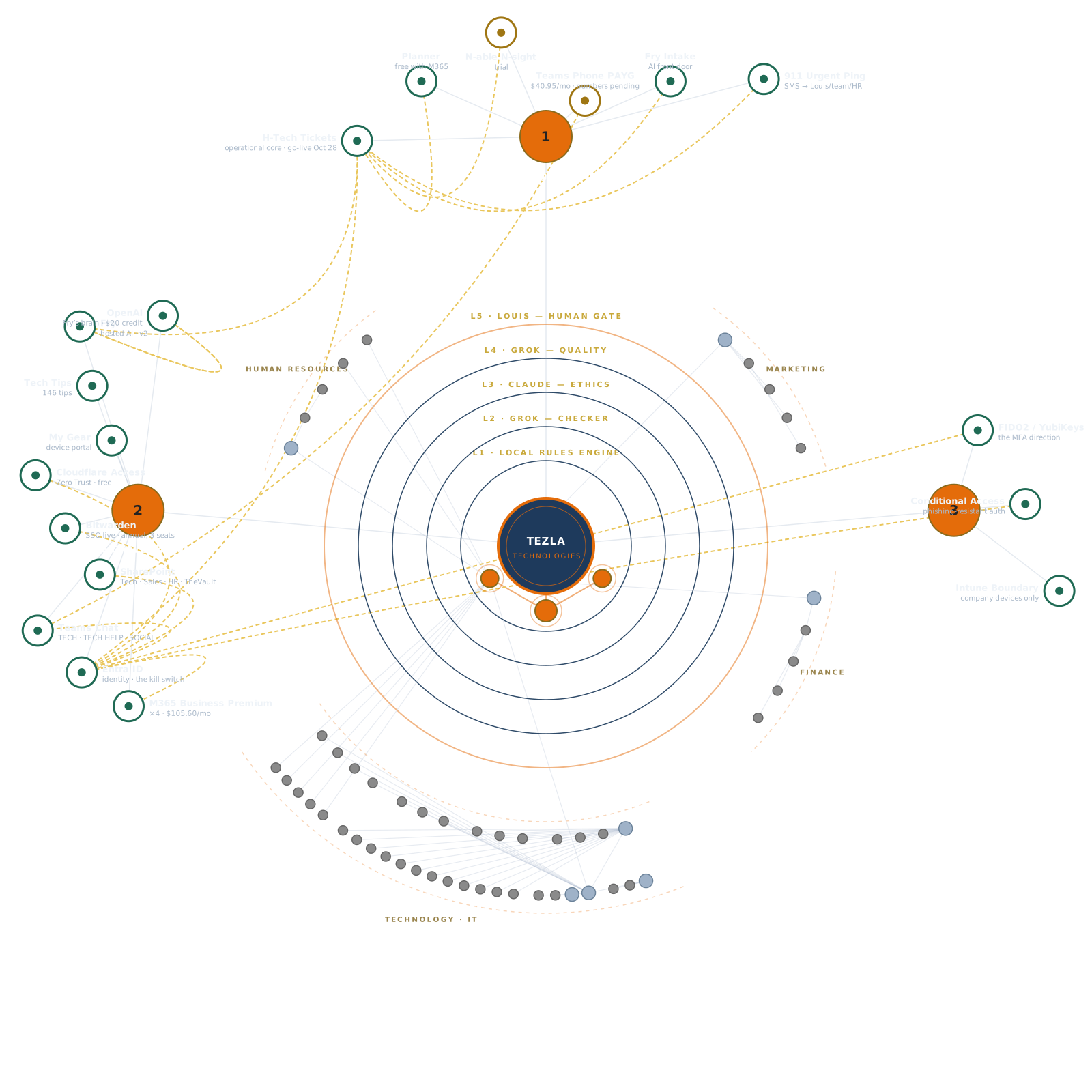
Team access
Team Portal
The crew's front door — one place to open the team dashboard and the tools linked from it.
Crew only — the sign-in is inside, at the portal door.

Crew sign-in
Sign in with your Tezla Microsoft account to open the team dashboard.
Hello
Art GalleryThe Tezla collection
How It All WorksThe Tezla Map
E-Waste ManagerTag · Inventory · Excel
Microsoft 365Email · Apps · Files
Google PlatformsLearn · Compare · Support
Security BundleHardened · EDR · SSO
QuickBooksBooks & invoices
M365 AdminUsers & licenses
--°Checking the sky…
Weekly forecast →
Tech wire
Tuning the wire…
The crew's home base — the team dashboard and the tools it links to, behind your Tezla sign-in.
911
If it's a true emergency, this is the fastest way to reach a human — 911 sends a text message straight to a phone. Everything else goes through a ticket.
When to 911: outage in progress, security incident, safety issue — minutes matter and you need a human now. Everything else: open a ticket. If you're unsure, we'd rather you pinged than sat on a real emergency.
False 911s are treated like false 911s anywhere else: every ping is logged with your name. 911 is trust — break the trust, lose the button.
No response in 10 minutes? Call the team line directly — a ping is a flare, not a guarantee.
Business
OWNERThe owner's deck — every system that runs the company, one click away. Only you see this view.
QuickBooksBooks & invoices
CloudflareDNS & deploys
Harvard BusinessLLC filing
M365 AdminUsers & licenses
IntuneDevice management
Your AI DesignBuilt exactly as designed
Microsoft 365 Admin and Intune sign in with your Tezla account automatically. QuickBooks, Cloudflare and Harvard Business open in a new tab — your browser's saved login signs you in from there.
Finances
OWNERQuickBooks actuals plus the cost forecast. The spreadsheet stays the planning sheet — QuickBooks is the books of record.
Monthly forecast
Actuals refresh daily from QuickBooks. The forecast comes from the cost tracker — tell Jarvis when a price lands and it updates everywhere.
Master Task List
OWNERThe living sheet — every heat, every task, every god-door item, rendered live from the Master Task List & Tracker. Nothing here is hand-typed: when the master list updates, this view updates.
Source of truth: the Master Task List spreadsheet (CSV/XLSX). Statuses: COMPLETE / IN PROGRESS / PENDING / BLOCKED — GOD DOOR / REALLOCATED / RELOCATED. The god-door rows are Louis’s inbox — they move only on his word.
Project Review
OWNERProjects in the house — status, health, timeline, owner. Native visuals for now; a live Power BI report replaces them here when the Pro license lands.
Portfolio health
At a glance
Timeline
All projects
Incoming requests
Project intake requests from the team land here after Louis approves them in the Tickets queue (category: Project).
The Race
The monthly performance incentive — helpdesk, sales, everyone. Whoever's ahead at month's end takes the prize.
How points are scored
The prizes (placeholders — Louis's call)
Test the system
Stage the month: add tickets, sales and revenue, then watch the board move. Break it on purpose — that's what the demo is for.
When this goes live, points come from real H-Tech ticket stats and the commissions tracker. Nothing on this board is real yet.
Leadership
TEAMThe people building Tezla Group — and what each leader is driving.
Org chart
Management dashboards
Every level of leadership gets its own view of the business. Yours is highlighted.
Welcome to your first day
We’re glad you’re here.
Your first day should feel clear, organized, and personal. Open each guide, acknowledge it when you’re ready, and we’ll unlock the team dashboard when the full path is complete.
First-day progress
0 of 8 complete
Open each item before acknowledging it.

Meet Fry
Your AI crew member — and your task tracker. Hosted by Tezla, ready from day one.
Fry is a task tracker
First job: Fry tracks the work. The French Fries list on this page is the crew's shared task board — drop a fry in the fryer, keep it sizzling, serve it when it's done. Support email that lands overnight becomes fries too, so nothing sits unread in an inbox. Every fry carries its details and can be tagged to a ticket — and when something can't wait, escalate it and Fry puts it in front of a human fast. He also keeps score: points and streaks for every fry served.
Three Frys, Three Jobs
🌐 Website Fry — On our public site. Answers general questions about services, pricing, and the team. No login needed.
🏢 Internal Fry (this one) — Your secured company assistant and task tracker. Knows internal resources, runs the French Fries board, creates tickets, helps troubleshoot. You're signed in, so it's all yours. Chat with him at the bottom of this page.
📱 Your Own Assistant — your personal assistant, separate from company Fry. For personal productivity — not visible to the company team.
Why three? Different trust boundaries. Public stays public, company stays secured, personal stays private.
Your Personal Assistant
Want your own private AI? Ask Louis for your personal-assistant invite.
Private to you — your personal assistant is separate from company systems, and the company team doesn't read or manage it.
I Got Your Back
It's not always about the client. This is where Tezla protects its people — the standards we hold clients to, the private channel to report what happens out there, and the Purge: our promise that no one on this crew stands alone with a bad situation.
The Customer Code of Conduct Goes to clients
Every client gets this. It says what we expect when we arrive: respect our people (zero tolerance for abuse), the ticket defines the work (no on-the-spot scope creep), we control dispatch (severity decides, not volume), and pay on time. Four steps if it breaks down — conversation, written notice, account review, professional parting.
The Purge
Rate them, gripe about them, score them — and if needed, say goodbye. The client-removal tool, all in one place. Internal only, never public.
Gripe session — report an experience Private · staff only
Had a bad one out there? Log it. Keep it clean, keep it factual. Filings stay inside Tezla staff. Patterns here feed the horse race below.
Submissions are held privately for review by Louis and HR, and are not shared outside Tezla staff.
The horse race — client scores Internal only
Ranked by gripe history, payment behavior, and scope abuse. When a client sits at the top of this list, they’re telling us it’s time.
| # | Client | Why they're here | Status |
|---|---|---|---|
| — | No clients on watch yet | Clean sheet. Let's keep it that way. | CLEAR |
Say goodbye Policy
- Every 24 months — sooner if needed — we review every client relationship against the horse race, payment history, and growth.
- Who goes: the rude, the abusive, the chronically late, the ones who fight the process. If the client isn’t growing with us, we didn’t serve them right — and the relationship ends.
- How: professional 30-day transition. Full documentation, clean handoff, data returned. No drama, no hostage data, no bridge-burning.
- Why: protecting the crew and the standard is the business model.
SharePoint
The crew's files & sites — open the workspaces you have access to.
Tech Tools
Every tool the crew uses to do the work.

Tezla Group · Mac
Mac
Mac support that actually knows the Mac.
Your business runs on Macs. You need somebody who knows macOS, not a Windows-only MSP guessing their way through a MacBook. We manage Macs end to end: setup, management, security, backups, and real troubleshooting when something goes sideways.
Mac resources
Apple Business ManagerDevices · Apps · IDs
Apple ConfiguratorEnroll & supervise Macs
Intune for MacMDM · Compliance · Apps
Parallels DesktopWindows 11 on Mac
VMware FusionFree · Windows & Linux VMs
HomebrewThe missing package manager
Apple SupportMac help & manuals
What we do for Mac clients
Full-lifecycle Mac management for your business — not guesswork.
New Mac setup, done right
Out of the box and ready for work. Apple ID and Managed Apple Account configured, plus WiFi, printers, email, cloud storage, and apps. Your people sit down and start working.
Ongoing management
Every Mac is enrolled in mobile device management, so policies, apps, and updates go out over the air. No driving across town with a USB stick.
Security baseline
FileVault encryption, strong sign-in policy, automatic updates, and firewall on every machine. We verify it and report on it.
Backups that get tested
Local Time Machine plus offsite backup, and we verify the restores work. A backup you've never restored is a rumor.
Troubleshooting & repair triage
When a Mac misbehaves, we diagnose it. If it's software, we fix it. If it's hardware, we tell you exactly what's wrong and handle the Apple repair path with you.
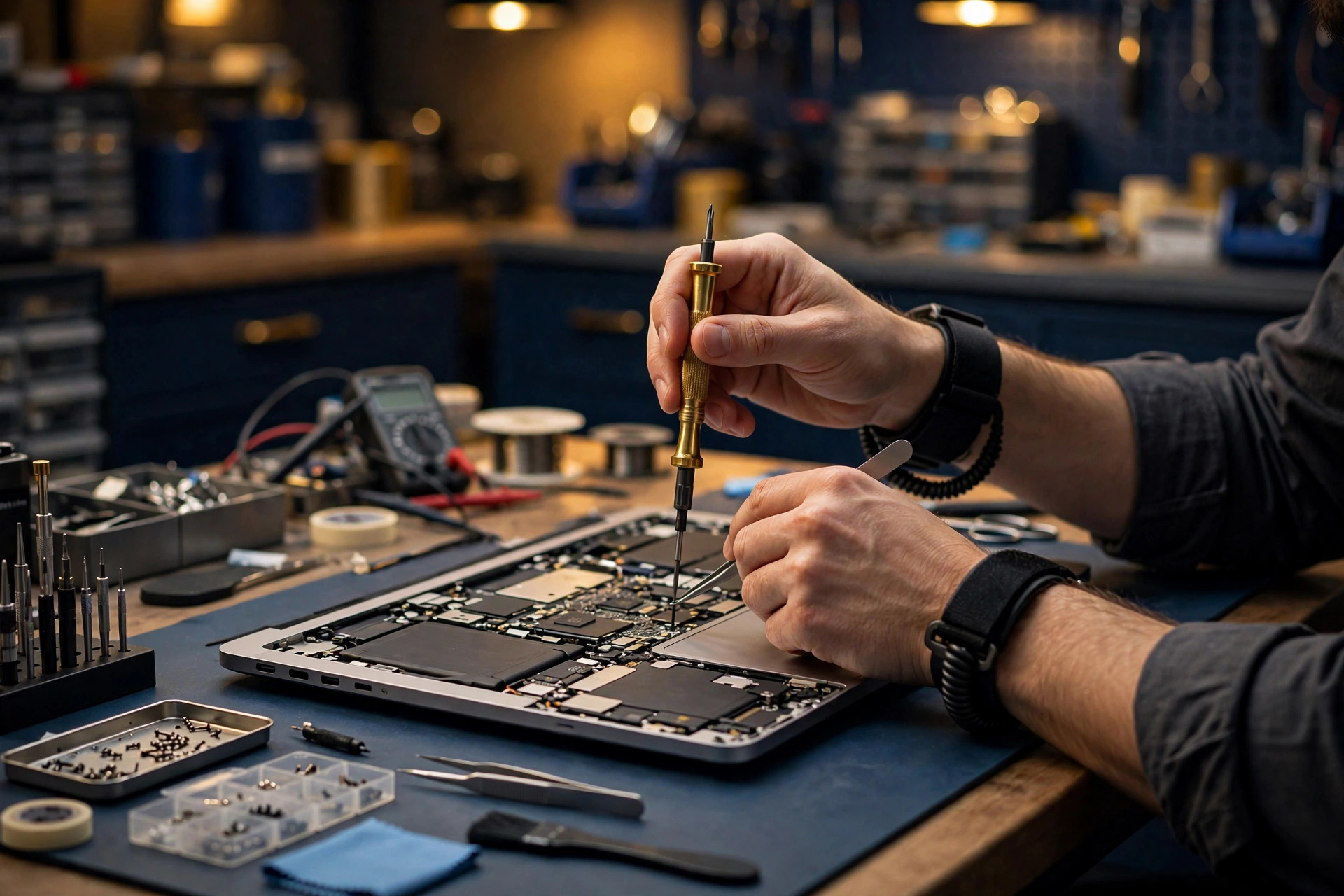
Apple Silicon vs Intel — what still matters in late 2026
Every Mac Apple sells today is Apple Silicon (M-series chips). Buying new means there's no decision to make. For the Intel Macs still in your office:
- Intel Macs still work fine. But macOS Tahoe (version 26) is the last major macOS release that supports Intel hardware. From here on, Intel machines get security updates only — Apple has committed to three years of security updates following Tahoe's September 2025 launch, coverage through roughly fall 2028. No new macOS versions, no new features.
- Old Intel-only apps on Apple Silicon? Rosetta 2 translates most of them without anyone noticing. If you have a critical line-of-business app, we test it before we migrate anyone.
- Windows on a Mac: Intel Macs could run Windows natively with Boot Camp. Apple Silicon Macs can't — Boot Camp is gone. Windows 11 runs in a virtual machine (Parallels Desktop or VMware Fusion), and we set that up. See below.

Managing the Macs: MDM
Once you've got more than a couple of Macs, managing them by hand doesn't work. Mobile device management (MDM) lets us push settings, apps, and security policies to every Mac from one console, over the internet — Dover office or home office, doesn't matter. Here's how the main options compare for a small business:
| Mosyle | Jamf Now | Addigy | Kandji | |
|---|---|---|---|---|
| Best for | SMBs that want strong Apple management cheap | Very small shops, first MDM | MSPs and Apple-focused IT teams | Mid-size/enterprise Apple fleets |
| Rough price | ~$1–$3 per Mac/month | ~$4 per Mac/month (first 3 devices free) | ~$8+ per Mac/month | Quote-based (enterprise tier) |
| Strength | Deep Apple support at the lowest price in the field; easy to run | Dead simple; great entry point | Multitenant, built for MSPs managing many clients; live remote tools | Polished “autopilot” experience; strong compliance tooling |
| Watch out | Apple-only; pairs with Intune for Windows | Thin on advanced features as you grow | Costs more per device | Overkill (and overpriced) for a 10-Mac shop |
Prices are approximate and change. Check current pricing before quoting a client. Figures checked October 2026.
Our recommendation for SMB: Mosyle. It covers what a small business needs: zero-touch enrollment, configuration profiles, app deployment, patch enforcement. The price doesn't punish you for growing. Jamf Now is fine if you're tiny and want the simplest possible start. And if your company already runs on Microsoft 365, Microsoft Intune can manage Macs too — we pick the tool that fits your business, not the one with the best logo.

Apple Business Manager (ABM)
What it is: Apple's free web portal (business.apple.com) that ties your company's Apple devices, app licenses, and employee Apple accounts together. It's not management software by itself — it's the foundation your MDM plugs into.
Why you need it
- Zero-touch enrollment. Macs and iPhones bought from Apple or an authorized reseller register themselves with your MDM the first time they're turned on. No technician in the loop, no setup checklist taped to the box. This is the big one.
- Supervised devices. ABM enrollment puts devices in supervised mode, unlocking the strongest management controls: mandatory profiles, remote wipe, app lockdown.
- Managed Apple Accounts. Your company, not the employee, owns the Apple accounts used for work. When someone leaves, the account and its data stay with you.
- Volume app licensing. Buy app licenses once, assign them to devices, reclaim them when someone leaves.
How we onboard you
- We enroll your company at business.apple.com. Apple verifies the business — you'll pick two verification methods from Apple's current options: a D-U-N-S number or EIN, a business license upload, domain validation via a DNS TXT record, or official documents such as a utility bill, energy bill, or property lease. A D-U-N-S number alone is no longer strictly required. Approval usually takes a few business days.
- We connect your MDM to ABM and link your Apple reseller, so every new device you buy flows in automatically.
- We create your Managed Apple Accounts and set the enrollment profile.
- From then on, a new Mac arrives, the user opens the box, and it configures itself. Done.
Devices you already own can be added manually with Apple Configurator, but there's a 30-day window where the user can remove the management. Buy through your reseller once ABM is set up and that problem goes away.
Mac + Microsoft 365: yes, they work together
Plenty of Delaware businesses run Microsoft 365 and hand their people Macs. That works fine when it's set up properly. That's what we do.
- Outlook, Teams, OneDrive, Office apps all run natively on macOS. They're first-class apps, not watered-down Mac versions.
- One sign-in. With Microsoft's Platform SSO for macOS (generally available), your people sign into the Mac with their Microsoft Entra ID credentials and stay signed in across Office apps and browsers — including passwordless options backed by the Mac's Secure Enclave.
- Managed like everything else. We enroll Macs in Microsoft Intune (or your Apple MDM of choice), so Conditional Access policies apply: compliant device, required sign-in strength, company data stays in company apps.
- OneDrive backs up the Mac's Desktop and Documents folders and keeps files available on demand, same as on Windows.
Mac security baseline: every machine, no exceptions
The checklist we apply to every Mac we manage. If a box isn't checked, we know about it.
- FileVault on. Full-disk encryption, recovery key escrowed to your MDM, not written on a sticky note.
- Automatic updates on. macOS and apps update on schedule. We verify it.
- Gatekeeper enforced. Only signed, notarized apps run. No random internet downloads becoming your problem.
- Built-in malware protection active. XProtect and Malware Removal Tool are Apple's background defenders — they only work well if the Mac is actually updating.
- Firewall on. macOS application firewall enabled, stealth mode where it makes sense.
- Sign-in policy. Minimum password/passcode length, lock screen after inactivity, Touch ID where the hardware supports it.
- Standard users, not admins. Day-to-day accounts run without admin rights. Admin credentials stay with IT.
- Find My enabled. A lost or stolen Mac gets located, locked, or wiped remotely.
- Endpoint protection. For businesses with compliance needs or real risk, we layer a managed EDR agent on top of Apple's built-ins.
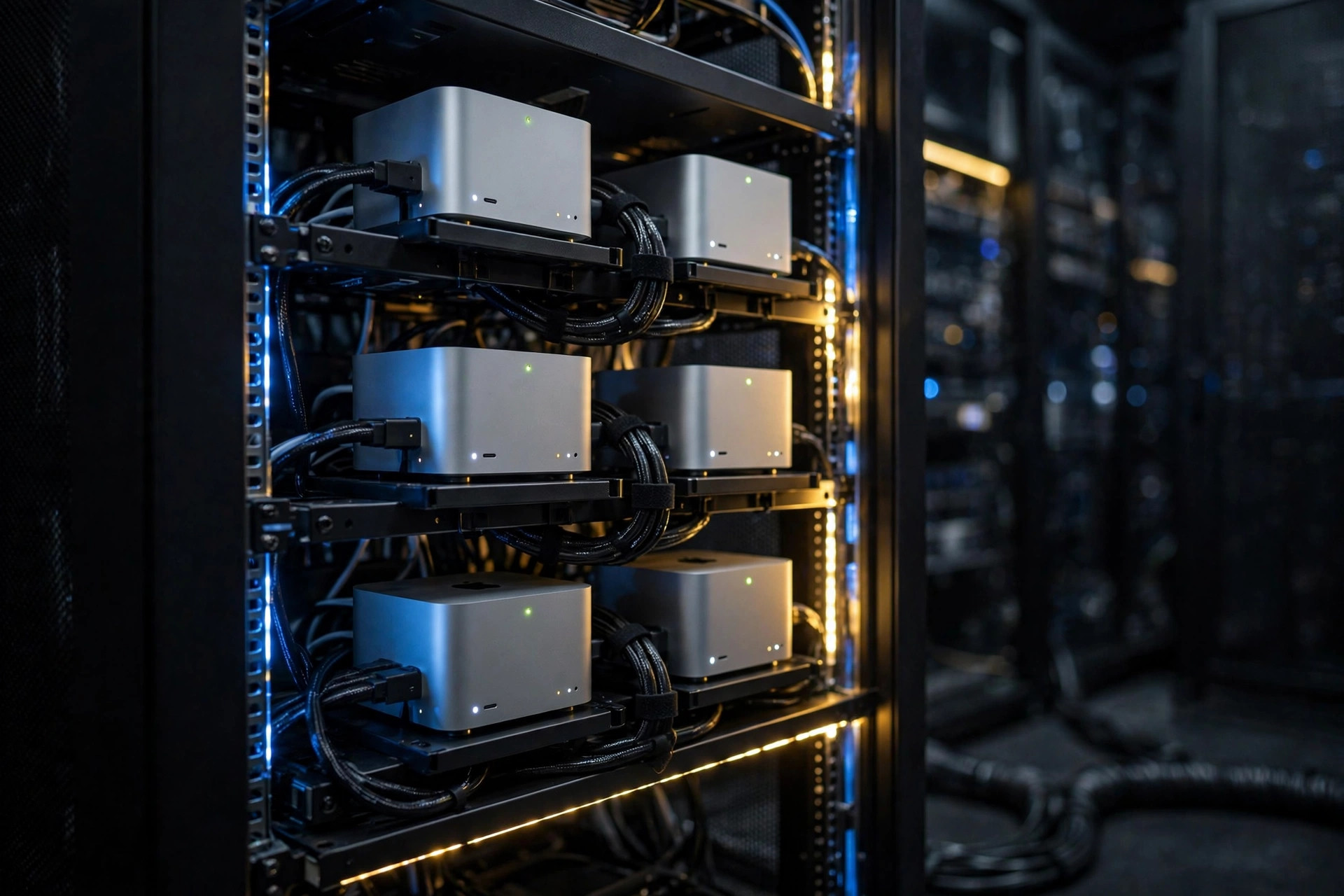
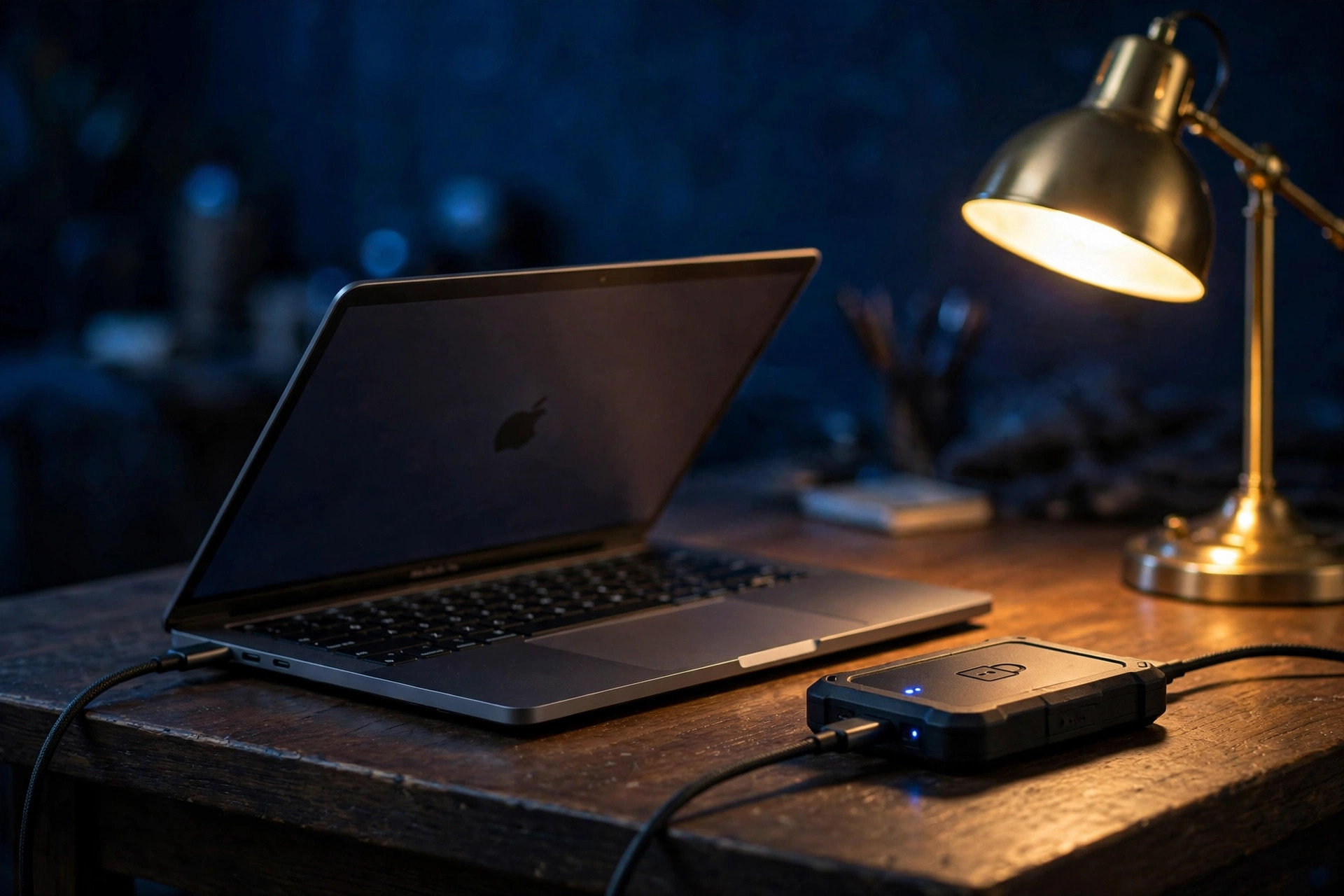
Mac backup
Local
Time Machine to an encrypted external drive or a network volume. Fast restores for the “I deleted the file” days.
Offsite
Time Machine alone isn't a backup strategy. A fire or theft takes the drive with the Mac. We pair it with managed offsite/cloud backup, so there's always a copy of your data outside the building.
The rule we live by: if we haven't restored from it, it isn't a backup. We verify restores on a schedule and document the results. Ask us to prove it, and we will.
Windows 11 on your Mac — Parallels vs VMware Fusion
Boot Camp is gone on Apple Silicon Macs, but you can still run Windows 11 in a virtual machine. Here's the comparison.
Parallels Desktop
- The only virtualization product Microsoft has authorized to run Windows 11 on Apple Silicon — legitimate licensing and reliable updates.
- Coherence Mode puts Windows apps right on the Mac desktop next to your Mac apps. No switching between two worlds.
- Fastest setup, drag-and-drop between Mac and Windows, 24/7 official support.
- Standard $99.99/year (or $219.99 one-time perpetual license); Pro $119.99/year; Business $149.99/year. Check current pricing before quoting.
VMware Fusion Pro
- Free for personal and commercial use since late 2024.
- Runs Windows 11 on Apple Silicon fine for test environments and occasional access.
- No Microsoft authorization, no Coherence-style mode on Apple Silicon, limited shared-folder support. Since Broadcom took over VMware, support is mostly community forums.
What to know before you commit
- It's Windows 11 for ARM. Most regular Windows apps run fine through built-in emulation, but anything that needs special hardware drivers must have an ARM64 version. We check your must-have apps first.
- You still need a legitimate Windows 11 license.
- Give the VM enough resources — 8 GB RAM minimum to Windows on a 16 GB Mac, more if you're doing real work in it.
We run what we sell: our own test lab is a MacBook Pro running macOS, Windows 11 (ARM), and Linux VMs side by side. We test client setups on that rig before we deploy them to you.
Common Mac issues — the runbook
What we see in the field and how we fix it. Symptom, then fix.
- WiFi drops or won't connect. Forget the network and rejoin. If it persists, renew the DHCP lease (System Settings → WiFi → Details → TCP/IP), then check for VPN or security software fighting the connection. Still dead? Test another network to isolate the Mac from the router.
- Printer won't print. Most modern printers are AirPrint. Delete the printer and re-add it, and macOS pulls the right driver itself. USB printer acting up: reset the printing system (right-click in Printers & Scanners, “Reset printing system”), then re-add.
- iCloud stuck syncing. Check storage — when iCloud is full, sync stops silently. Sign out and back in only as a last resort. First try toggling the specific service (Drive, Photos) off and on. Never “fix” sync by deleting local files.
- App asks for permissions over and over. Go to Privacy & Security settings, remove the app from the list, re-add it, and restart the app. If it keeps looping, the app bundle is damaged — reinstall it.
- Mac is slow. Check login items (General → Login Items) and remove what doesn't need to be there. Check free space — under ~10–15% free and macOS chokes. Then open Activity Monitor, sort by CPU, and find the hog.
- Spinning beach ball in one app. Force quit the app (Option-Command-Esc). If it happens every launch, hold Shift while opening it or reinstall.
- External display not detected / wrong resolution. Reseat the cable — half of these are the cable. Then go to Displays settings and hold Option to reveal the Detect Displays button. Cheap USB-C dongles cause most of the rest.
- Bluetooth mouse/keyboard lagging or dropping. Move USB 3 drives and dongles away from the Mac, since they interfere with Bluetooth. Unpair and re-pair the device. Check the battery.
- “App can't be opened” / Gatekeeper block. If you trust the source, right-click → Open. If it still refuses, the quarantine flag is stuck, and we clear it from Terminal. Never disable Gatekeeper system-wide to fix one app.
- Time Machine backup failing. Verify the drive mounts in Finder. Check available space on the backup volume. “Backup delayed” usually means the Mac hasn't been on the network or near the drive. Delete old snapshots only if the drive is genuinely full.
- Forgot Mac password / locked out. If the FileVault recovery key is escrowed (ours always is), we reset the password with it. Without the key and without another admin account, the data is gone — that's why the key gets escrowed on day one.
- Keychain keeps asking for password. After a password reset, the login keychain is out of sync. Fix: Keychain Access → Settings → “Reset Default Keychains.” The old keychain is archived, not deleted, so passwords can be recovered from it.
- Mail/Outlook not syncing. Remove and re-add the account. For Microsoft 365 accounts, sign out of the Entra SSO session and re-authenticate. Stale tokens are the #1 cause.
- Battery draining fast. Check battery health (System Settings → Battery). Look for the culprit in Activity Monitor → Energy tab. Background photo analysis and Spotlight indexing after an update are the usual temporary causes.
- Spotlight not finding files. Rebuild the index: open the Privacy tab in Spotlight settings, add the drive, remove it, and macOS reindexes. It takes a while on big drives — let it finish.
Content prepared by the Tezla marketing team, October 2026. MDM pricing figures checked against multiple 2026 sources — stated as approximate; verify current pricing at quote time. Platform SSO for macOS generally available since August 2025.
Tezla Group · Career Path
Career Path
“How do you become next level of next level? This is where you do it.”
Every MSP hands its techs tools. We hand our techs understanding. AI can write code, read logs, and suggest fixes. It cannot stand in front of a customer and own the answer. Tools change every year. Diagnostic thinking doesn’t. Learn to think, and you’ll be dangerous on any stack, with any tool, for the rest of your career.
Where do you want to go in life?
Four directions our techs actually grow. Pick the one that pulls you — the kit above is your starting gear for all of them.
Become a coder
You already think like one every time you read a checkpoint panel. Coders automate the boring parts, build the internal tools, and bend systems to their will. Start with the Diagnostics Kit, then PowerShell, then APIs.
Feeds into: AZ-204 Azure Developer (when you go deep)
Master the network
Own every packet. When a client says “internet is down,” you’re the one who knows whether it’s DNS, DHCP, the firewall, or the ISP — in minutes, not hours. Start with the Network Tracer.
Feeds into: Network+, CCNA
Defend everything
Security is a mindset before it’s a product. You learn to think like the attacker, surface what’s hidden, and lock down identity first. Start with the Error Surfacer — attackers love silence too.
Feeds into: Security+, SC-200, SC-300
Build the cloud
Client servers don’t live in closets anymore. They live in Microsoft 365 and Azure — and somebody has to architect, migrate, and run them. That somebody is well paid.
Feeds into: MS-900 → MD-102 → MS-102 → AZ-104
Certifications, explained
What each exam actually is, what it proves, and why it matters for a Tezla tech. Fundamentals first — nobody skips the foundation. Study free on Microsoft Learn.
Microsoft — Fundamentals (start here)
AZ-900Azure FundamentalsFundamentals
What it proves: Cloud concepts, Azure services, pricing and SLAs. The vocabulary of modern IT. Why it matters here: Every client is moving to cloud. You can’t support what you can’t explain.
MS-900Microsoft 365 FundamentalsFundamentals
What it proves: M365 apps, security, compliance and licensing basics. Why it matters here: We sell and support M365. This is the language of the business.
SC-900Security, Compliance & Identity FundamentalsFundamentals
What it proves: Zero Trust, identity concepts, Microsoft security and compliance tools. Why it matters here: Security is every tech’s job now — this is where that starts.
AI-900Azure AI FundamentalsFundamentals
What it proves: What AI workloads are, what they cost, and where they fit. Why it matters here: We build with AI. Know what you’re selling.
Microsoft — Associate & Expert (the Tezla core)
MD-102Endpoint AdministratorAssociate
What it proves: Intune, device deployment, compliance policies, app management. Why it matters here: We manage client devices with Intune. This exam <i>is</i> the job. Get this one early.
MS-102Microsoft 365 AdministratorExpert
What it proves: Running M365 tenants: Exchange, Teams, identity, security, compliance. Why it matters here: The core of managed IT. This is the credential behind our M365 practice.
SC-300Identity and Access AdministratorAssociate
What it proves: Entra ID, Conditional Access, MFA, privileged identity. Why it matters here: Identity is the new firewall. Every breach story starts here.
AZ-104Azure AdministratorAssociate
What it proves: VMs, virtual networking, storage, and identity in Azure. Why it matters here: Client servers live here now. Somebody has to run them.
SC-200Security Operations AnalystAssociate
What it proves: Sentinel, Defender, hunting threats, responding to incidents. Why it matters here: Makes you the security person in the room.
AZ-500Azure Security EngineerAssociate
What it proves: Securing Azure workloads end to end. Why it matters here: For when you’re ready to own cloud security, not just visit it.
CompTIA (vendor-neutral foundations)
A+A+Fundamentals
What it proves: Hardware, operating systems, and structured troubleshooting. Why it matters here: The foundation everything stacks on. Skipping it shows.
Network+Network+Associate
What it proves: TCP/IP, DNS, DHCP, subnetting, Wi-Fi, and network troubleshooting. Why it matters here: Half of all tickets are network tickets. This one pays for itself weekly.
Security+Security+Associate
What it proves: Threats, vulnerabilities, cryptography basics, risk management. Why it matters here: Baseline security credibility — recognized across the industry.
Also worth knowing
CCNACisco Certified Network AssociateAssociate
What it proves: Routing, switching, and enterprise network operations, hands-on. Why it matters here: The deep network credential. When Network+ stops being enough.
ITIL 4ITIL 4 FoundationFundamentals
What it proves: The language of IT service management: incidents, problems, changes. Why it matters here: Speaks the process side of MSP work — how the machine runs, not just the tech.
The lessons
Tools are instruments — the Diagnostics Kit itself lives in Tech Tips, under Advanced Diagnostics. These lessons are the training: each one teaches a principle through a true war story from our own systems — then hands you an exercise.
LESSON 1
Narrow the unknown until the code confesses
Never debug the whole system. Cut the unknown in half, then in half again. The night our dashboard died, the checkpoint panel’s last line pointed at a ghost button — one leftover line that silently killed everything after it.
LESSON 2
Never trust the simulation — verify live
A test that can’t fail the way production fails is theater. Our harness passed 34 checks on a blank dashboard because its fake browser never returns null. No one says “fixed” until a live browser proves it.
LESSON 3
Read the error — don’t guess
When the system gives you an error, it’s telling you the answer. Read the exact text twice before inventing theories. Our “sign-in needed” ghost was a cached token missing its ID token — the response told us, once we read it.
LESSON 4
The last change is the first suspect
Code doesn’t rot on its own — something moved. Check the deploy log and the last config edit before theorizing. A broken preview sign-in was one missing Entra redirect URI, not a code bug.
LESSON 5
Write down the root cause
A fix without a written root cause is a rumor. Two sentences — what broke, why — plus what would have caught it sooner. That note stops the next outage.
LESSON 6
Capstone: run the whole play
A real broken staging deployment, ninety minutes, the full kit, a live browser. Find it, fix it, verify it, write it up — and earn the Diagnostics badge.
Progression is proven by doing: Kit Certified → Lessons 1–5 → Diagnostics badge → Contributor. Badges show on your portal profile.
The 5-Year Roadmap
Where Tezla Group is going — and how far we've come. This display shows the current plan; when the plan is updated, it updates here.
Vision
Loading…
Overall progress
Now
Then — Oct 2031
The paid queue
Queued until revenue funds them. Zero-revenue discipline holds.
| Play | Cost | Unlocks when |
|---|
Trusted Links
Every vendor portal, admin console, and support contact the team touches — all official, all in one place. If it isn’t here, verify before you sign in.
Microsoft 365 adminTenant administration
Pax8Cloud distribution
Ingram MicroHardware distribution
D&H DistributingHardware distribution
Intune admin centerDevice management
Entra admin centerIdentity & access
Cloudflare dashboardDNS, WAF & edge
TD SYNNEXHardware distribution
N-ableRMM (N-sight) · console via partner login
Duo Admin PanelClient MFA console
Webroot consoleEndpoint protection console
Direct support lines
Ingram Micro New Accounts: (800) 456-8000
Every other vendor runs support through its portal above — open a ticket there, don’t cold-call. More direct lines get added here as Louis confirms them.
Downloads
The approved software repository — every installer the team is allowed to use.
House rule: only Louis-approved downloads live here, and each one links to the vendor's official source — the clean, current copy, straight from the vendor. If it isn't listed here, don't install it — ask Louis.
Tickets
The helpdesk queue — every issue, request, and project task in one place. If it isn't a ticket, it didn't happen.
Ticket system isn't connected yet. Connecting to H-Tech Tickets…
Tech tips
The commands and admin hacks every Tezla tech should know by heart. Click any command to copy it.
Knowledge vault
Deep-dive training libraries — the full book on each domain, built for designing, building, deploying, and maintaining.
Advanced Diagnostics
The instruments the senior techs reach for when the easy answers run out. Copy, paste, use — each ships with a runbook you can follow in five minutes under pressure. These caught real outages on our own systems.
Checkpoint Logger THE GREEN BOX
What it is: a tiny snippet injected into a running page that writes every step into a visible on-screen panel. When something breaks, you don’t guess — you read the last checkpoint, and that’s where it died.
Reach for it when: the screen is blank, the button does nothing, the page loads but data never shows. No error anywhere. Everything “should” work.
<script>
(function(){
  'use strict';
  window.__diag = window.__diag || [];
  function dlog(m){
    try{
      window.__diag.push(m);
      var p = document.getElementById('diagPanel');
      if(!p){
        p = document.createElement('div');
        p.id = 'diagPanel';
        p.style.cssText = 'position:fixed;right:8px;bottom:8px;z-index:99999;' +
          'max-width:420px;max-height:220px;overflow:auto;' +
          'background:#111;color:#0f0;font:11px/1.4 monospace;' +
          'padding:8px;border:1px solid #0f0;white-space:pre-wrap;';
        p.textContent = 'DIAG:';
        document.body.appendChild(p);
      }
      p.textContent = 'DIAG:\n' + window.__diag.join('\n');
    }catch(e){}
  }
  window.addEventListener('error', function(e){
    dlog('WINERR: ' + (e && e.message) + ' @line ' + (e && e.lineno));
  });
  window.addEventListener('unhandledrejection', function(e){
    var r = e && e.reason;
    dlog('UNHANDLED: ' + ((r && r.message) || r));
  });
  window.dlog = dlog; // call dlog('checkpoint name') from anywhere
  dlog('diag booted');
})();
</script>
- Paste into the page (dev tools console or a test copy — never straight to production).
- Add dlog('step name') at each major step: page load, sign-in complete, fetch started, data received, render called.
- Reproduce. The last line is your crime scene — everything after it never ran.
- See WINERR? Real JavaScript error with a line number. Go there first.
- Remove the snippet when done. Diagnostic code never ships.
Error Surfacer
What it is: turns silent failures into visible, actionable messages. Most blank screens aren’t “no error” — they’re an error that got swallowed.
Reach for it when: data never loads with no error. A click does nothing. The app “hangs” instead of failing.
function loudFetch(url, opts, label){
  opts = opts || {};
  var TIMEOUT_MS = 20000;
  label = label || url;
  function withTimeout(p, what){
    return Promise.race([
      p,
      new Promise(function(_, reject){
        setTimeout(function(){ reject(new Error('TIMED_OUT: ' + what)); }, TIMEOUT_MS);
      })
    ]);
  }
  return withTimeout(fetch(url, opts), label + ' network')
    .then(function(res){
      if(!res.ok){ throw new Error('HTTP ' + res.status + ' on ' + label); }
      return withTimeout(
        res.text().then(function(t){
          try { return JSON.parse(t); }
          catch(e){ throw new Error('NOT_JSON on ' + label + ' — server returned ' + t.slice(0,80)); }
        }),
        label + ' parse'
      );
    });
}
// Usage: loudFetch('/api/tickets', {}, 'ticket queue')
//   .then(renderQueue)
//   .catch(function(err){
//     showBanner('Ticket system error: ' + err.message); // VISIBLE, not blank
//     console.error(err);
//   });
- Wrap the failing call in loudFetch.
- Reproduce: you’ll get TIMED_OUT, HTTP nnn, NOT_JSON, or a real error — never silence.
- NOT_JSON means the app got a web page instead of data. The request never reached the backend — check URL, routing, deployment.
- Every .catch must show the user a message AND log to console. A catch that does neither is a lie.
Network Tracer
What it is: confirms what the app actually requested versus what the server actually returned. Not what the code says — what happened on the wire.
Reach for it when: the code looks right, tests pass, but production misbehaves.
# 1. Ask the server directly — before touching app code:
curl -s -w "\nHTTP %{http_code}, %{size_download} bytes\n" \
  https://tickets-api.tezlagroup.com/api/health
#    Read the first bytes. JSON? HTML? An error?
# 2. Compare environments: preview AND production.
#    Different answers = deployment/routing difference, not a code bug.
# 3. Browser F12 → Network: reproduce, read the REAL request
#    (URL, method, headers, body) and the REAL response
#    (status, content type, first bytes).
# 4. Write two lines: request sent / response received.
#    If you can't write it down, you don't know it yet.
LAN Flood Test THROUGHPUT
What it is: an orchestrated network throughput test that finds what a LAN can really handle — and exactly where the bottleneck lives. It’s a wrapper around iperf3 (free, industry standard); the Tezla value is the automated test plan, the bottleneck read, and a report a client can understand.
Reach for it when: “the network is slow” and nobody knows why. New site survey. After a switch or AP swap. Before you blame the ISP, prove the LAN.
Authorized networks only. Never flood a network you don’t own or don’t have written permission to test — Railroad Tracks rule.
# 1. iperf3 on BOTH ends (get it from Trusted Downloads):
#    Windows: https://iperf.fr/iperf-download.php
#    Linux:   sudo apt install iperf3      Mac: brew install iperf3
# 2. On the far end (server), start listening:
iperf3 -s
# 3. On your machine, run the Tezla wrapper (test room):
python3 lan-flood-test.py --target 192.168.1.10 --plan standard
#    Plans: quick (~1 min) · standard (~5 min) · extended (~15 min soak)
# 4. Read the bottleneck verdict:
#    ~940+ Mbps wired  = healthy gigabit path
#    ~90-95 Mbps       = a 100 Mbps link is hiding somewhere — find it
#    Wi-Fi varies      = test next to the AP, then at the desk; the
#                        difference is your cabling/interference story
- Confirm written authorization for the network under test.
- Start iperf3 -s on the far-end machine (server, or a laptop plugged into the far switch).
- Run the wrapper with --plan standard. It tests TCP up/down, parallel streams, and a UDP sanity check, then prints a plain-language bottleneck read.
- Slow? Move the server one hop closer and re-run. The hop where speed returns is your culprit — bad cable, dying switch port, or a saturated AP.
- Save the JSON report with the ticket. “Network feels slow” is not a finding; the report is.
Field DHCP FIELD SERIES
What it is: an Android app that turns your phone into a DHCP server. USB-C Ethernet adapter in, one tap, and the phone hands out addresses to whatever’s on the cable — plus optional uplink sharing so adopted gear can reach the internet. Status: in build. This page is the runbook the app will automate.
Reach for it when: you’re staging gear with no DHCP anywhere — firewall not up yet, no domain controller, isolated switch full of access points waiting for addresses.
Honest requirement: a real DHCP server binds UDP port 67, which Android only allows on a rooted device. Full power = rooted field phone/tablet. No root = scanner + static-IP helper mode. iPhones can’t do this at all.
The profiles: Adopt (isolated gear, DHCP only) · Online (DHCP + your phone’s internet for firmware and cloud adoption) · Lab (custom pool, bench testing).
Safety guardrails (non-negotiable): the app refuses to start if it detects an existing DHCP server on the link, auto-stops on a timer (default 30 min), and logs every lease — export it with the ticket. A rogue DHCP server on a live network causes outages. Railroad Tracks.
The teaching layer — why this works
DORA, in plain English: every DHCP handshake is four steps — Discover (device shouts “anybody out there?”), Offer (server replies “take this address”), Request (“I’ll take it”), Acknowledge (“it’s yours, for this long”). When adoption stalls, figure out which letter of DORA never happened — that’s your fault domain.
Rogue-server danger: DHCP is trust-based — devices accept the first offer they hear. A second server on the wire hands out wrong gateways and the whole floor loses the internet. That’s why the app checks for an existing server before starting, and why you never run it on a live production network.
NAT/masquerade: uplink sharing rewrites the gear’s private addresses to your phone’s address on the way out, so many devices ride one connection. Same trick as your home router — the phone just becomes the router.
- Confirm the network is isolated — no production traffic, no existing DHCP server. If in doubt, don’t start.
- Plug the USB-C Ethernet adapter into the phone, cable to the switch. Set the phone’s Ethernet interface to a static IP (e.g. 192.168.50.1).
- Start the Adopt profile. Watch the lease table — each AP appears with MAC and vendor as it pulls an address.
- Adopt the gear in its controller. Need firmware or cloud adoption? Switch to the Online profile to share the phone’s data.
- When done: big red STOP, unplug, export the lease log with the ticket. Diagnostic tools never linger.
Worth bookmarking
Trust list
Where Tezla techs learn, and what to steer clear of. Link-checked daily; ratings are curated by the team.
Loading the trust list…
AI Tools
Learn the AI tools we live in — Grok, ChatGPT, Claude, Copilot, Gemini. We sell the services, we support the services we sell, we live the stack.
GrokxAI’s assistant · real-time insight, bold answers
ChatGPTEveryday drafting, coding help, brainstorming
ClaudeLong documents, careful analysis, writing
Microsoft CopilotBuilt into our M365 · Word, Excel, Outlook, Teams
Google GeminiGoogle workspace research and summaries
Ground rules
- Never paste client credentials, passwords, or confidential client data into any public AI tool.
- Client work stays in approved systems — AI helps you think, it doesn’t hold client data.
- When in doubt, ask Louis before you paste.
Coming soon
Department bot teams are being designed — Marketing, HR, and Finance groups, each staffed with AI team members. This hub is where the team learns the tools first, so we’re ready when the teams arrive.
Team store
Swag, at-cost machines & gear, and badge replacements — for the Tezla crew only.
My orders
Your cart
Nothing here yet — the team store awaits.
Subtotal$0.00
At-cost items are confirmed by Louis before fulfillment. No resale for 12 months — see store policy.
Check out
🎉
Order placed
Order is in. Louis gets the details and confirms at-cost pricing before anything ships.
Employee Purchase Agreement
- At-cost means distributor cost, confirmed by Louis before your order ships — for your personal and household use.
- No resale for 12 months. At-cost gear may not be resold for 12 months from purchase.
- Leaving within 12 months? The company gets first right to buy the item back at what you paid.
- Lost a badge or fob? Tell Louis immediately so the old credential is deactivated, then order the replacement here.
- At-cost prices are confirmed by Louis before your order ships — distributor pricing moves around.
- Abuse ends the privilege. Reselling at-cost gear or gaming the program revokes your store access.
- Everything arrives Christmas-wrapped. Every single order from this company to any employee ships gift-wrapped. No exceptions — it's Louis's rule.
Full agreement lives with the HR documents. These are Louis's rules — he can adjust them any time. The full Employee Purchase Agreement is currently DRAFT pending legal review.
My Gear
Your company devices, your refresh clock, and the gear catalog — one place, from onboarding day onward.
My devices
First-day checklist
New here? Your first-day acknowledgments live in onboarding — finish them there, then come back and pick your gear.
How the refresh clock works
Every company device refreshes on a 36-month cycle from its issue date. When you're eligible, this page announces it up top and the catalog opens for your next pick.
Need a dock, YubiKey, or swag? That lives in the .
Your two-week runway
The runway is two weeks. During pre-boarding — on your personal email — you sign in here, finish the new-hire process, and pick your equipment in this catalog.
That runway is for ordering, Windows Autopilot pre-staging, and drop-ship straight to your door — That runway is for ordering, Windows Autopilot pre-staging, and drop-ship straight to your door — so your laptop is ready to sign in on day one, and Fry walks you through the first boot.
Track every request below: Picked → Ordered → Pre-staged → Drop-shipped → Delivered.
Gear catalog
Catalog gear is priced at distributor cost, confirmed by Louis when you order. You only see what your role qualifies for.
My gear requests
Configure
Review your request
The full Employee Purchase Agreement is currently DRAFT pending legal review.
🎉
Request sent
Request is in — status: Picked. Louis gets the details and confirms at-cost pricing before anything is ordered. Follow it below: Picked → Ordered → Pre-staged → Drop-shipped → Delivered.
Project Management
MSP Projects runs on Microsoft Planner — the house standard, free with your Microsoft 365 license. Plan it, track it, review it. If it isn't in the system, it didn't happen.
Sign in
Microsoft PlannerOpen when you're planning or working a project — tasks, boards, schedules, and status live here. Included free with your Microsoft 365 license. Power BIOpen when you need the numbers — project dashboards, health, and reporting visuals.Get started
Planner — get startedMicrosoft's official docs: create plans, add tasks, and track progress. Planner video trainingShort official videos — most under 3 minutes — covering tasks, boards, timelines, and sprints. Microsoft LearnThe learning university: free courses and paths across Planner, Project, Power BI, and the rest of Microsoft 365. Power BI trainingMicrosoft Learn paths: connect data, model it, and build the visuals.How we run projects in this house
1 · IntakeEvery project starts with the form below. Louis approves and it becomes a tracked project — nothing starts as a hallway conversation.
2 · PlanThe project owner builds the plan in Planner: milestones, owners, dates. Big enough to matter, small enough to track.
3 · ExecuteWork the plan. Time gets tracked against the project, and status updates go in weekly — green, yellow, or red, no surprises.
4 · ReviewLouis reviews every project in the dashboard. Closed means documented and handed off — a project isn't done until the paperwork is.
Start a project
Fill this out and it lands in the project queue as a ticket Louis reviews. He approves it, and it becomes a tracked project.
My project requests
Commissions
3.5% of what you sell — items and contracts — once the client has paid. Paid out with payroll.
Balance owed
$0.00
Payouts go out with payroll after Louis approves. Balances are tracked here until sales feed in automatically.
Commission calculator
Your cut: $0.00
Cash-out options
Here's how this works
- You sell it. Every deal gets tagged with your name in the system — that tag is what ties the sale to you.
- The client pays. Your commission triggers when the invoice is paid, not when it's sent. No pay, no commission.
- 3.5% lands here. Once QuickBooks is connected, paid invoices credit your balance automatically. Until then, Louis credits it by hand against your tagged deals.
- Cash out. Hit “Request payout” and it rides with payroll after Louis approves.
The policy
- 3.5% of all items sold
- 3.5% of all contracts sold and paid
- Employees only. No caps.
- 5 years → profit sharing. 10 years → more. (The numbers are Louis’s call — coming soon.)
Referrals are a separate program — cash back, point blank. Refer a business that signs, get paid cash.
Reimbursements
Money you lent the company, back without a chase.
The promise
No one should have to chase money they lent. Once Louis approves a reimbursement, it goes out with the next payroll run.
Submit a reimbursement
The file name goes in the email — attach the actual file in Outlook before sending.
Client bill (internal): $0.00 NEVER SHOWN TO CLIENT
The client sees one line at the billed total — never the cost or the markup.
Keep your receipts — Louis may ask. Approved reimbursements are paid with the next payroll run.
Review your email
Look it over, then send it with Outlook. It goes to reimbursements@tezlagroup.com, straight to Louis.
Email copied — paste it into a new message if Outlook didn't open.
Awaiting approval
$0.00
Queued for client billing
Billable items land here. When QuickBooks is connected, approvals push the client bill automatically — until then, this queue is the handoff.
What We Sell
The core offers, why we sell them, and how to quote them — the standard numbers, in one place.
Ask Fry
Your front door for selling — compare tiers, build a quick quote, find the right document.
Managed IT
$125 / $175 / $225 /machine/moThree plans that scale with your business — Essentials, Business, and Premium Business. One team accountable for all of it.
Business phone systems
Business phonesPhones, internet, and IT from one Delaware team — no finger-pointing between vendors, one team that owns it all.
Fry
$10 / $25 /user/mo$10 for managed-plan clients, $25 for everyone else. Our differentiator — an AI assistant clients can put on their team.
Microsoft 365 resale
$35 / $25 /user/moBusiness Premium $35, Business Standard $25. One bill, every seat covered.
Hourly & projects
$135 / $165 / $190 /hrField $135, senior $165, engineering & PM $190. After-hours 1.5× the standard rate, or $5,000/yr flat 24/7. Block time available.
Why we sell it this way
Phones first. A phone system touches every employee on day one — it's the fastest way to prove we're different. Once the phones are ours, the network, the computers, and the security follow. One team, one throat to choke, no finger-pointing between vendors. And we price fair — no robbery on either side.
How to sell & quote
- Lead with phones — Tezla Group opens the door.
- Count machines and users — that's the whole qualification.
- Pick the tier — Essentials, Business, or Premium Business.
- Build the quote in the standard quote sheet — type quantities, the math is done for you.
- Attach the MSSA and the tier overview with every quote.
- Everyone quotes identically — never freelance the numbers. Wholesale items bill at cost × 1.30; the client sees one total.
MSSA tiers — side by side
| What's included | Essentials $125 | Business $175 | Premium Business $225 |
|---|---|---|---|
| 24/7 monitoring & alerting | ✓ | ✓ | ✓ |
| Patch management | ✓ | ✓ | ✓ |
| Antivirus | ✓ | ✓ | ✓ |
| Help desk support | ✓ | ✓ | ✓ |
| Remote remediation | ✓ | ✓ | ✓ |
| Data-protection backup | — | ✓ | ✓ |
| Duo MFA management | — | ✓ | ✓ |
| Monthly health reporting | — | ✓ | ✓ |
| Email security | — | — | ✓ |
| Password vault | — | — | ✓ |
| Priority support queue | — | — | ✓ |
| Quarterly strategy review | — | — | ✓ |
Announcements
News from the crew, newest first.
-
October 7, 2026
Announcing InfoGrab — our reporting hub
One place for every number that matters. InfoGrab will pool ticket, client, and device data into beautiful automatic reports — weekly digests, monthly service reviews, security snapshots. No licenses, no consultants, no six dashboards. Open the new InfoGrab charm (bottom of the grid, next to H-Tech BETA) for the full picture.
-
October 3, 2026
We are building H-Tech — our own MSP platform
A fully packaged MSP backend, built and owned by us: ticketing system first, then our own RMM, then our own SSO. No per-agent fees, no one else's roadmap — our code, our data, our API. The ticket system and client portal are live in testing now. Open the new H-Tech BETA hub to test-drive the client portal and send feedback. Target go-live: October 28 — three days before the Halo trial ends.
-
October 1, 2026
Onboarding pilot is live
The first crew is through the new first-day experience — eight guides, acknowledgments, and a dashboard waiting at the end.
-
October 1, 2026
Two new guides in the Onboarding folder
The MFA & account security guide and the employee handbook are now part of day one. Open them from the first-day checklist in the portal.
-
October 1, 2026
Welcome to your intranet home
This portal is now the front door to team systems — SharePoint, tools, vendors, and news in one place. Make it yours with the Personalize charm.
H-Pack Studio
Tezla Media — where the company's knowledge packs will be created, checked in, and refreshed. In build now; hourly updates are the design, not live yet.
Internal PacksWhole-team knowledge · hourly updates planned
External PacksPublic-safe knowledge · redacted by rule
HMZ News StationCollects news · hourly updates planned
Claude Comms DeskAll comms written per company rules
Social DeployNews to social channels · in build
Pack RegistryThe database — every pack, versioned
Coming online.
H-Pack Studio is in build — the pack registry, the hourly HMZ news feed, and the Claude comms desk are being wired up now. Nothing here publishes publicly until Louis approves.
H-Pack Studio is in build — the pack registry, the hourly HMZ news feed, and the Claude comms desk are being wired up now. Nothing here publishes publicly until Louis approves.
French Fries
Your daily tasks list. Every task is a fry — drop it in the fryer, keep it sizzling, serve it done. Overnight emails land here as fries too.
🍟 Fry Calculator
Every fry served earns 10 points — clear fries and watch your points grow.
0Points
0Day streak
0Served today
0Served this week
–Avg. cook time
0Served all time
📱 On-device board. You're not signed in to the task service (or it can't be reached from here), so this board is saving on this device. Everything works — fries, edits, ticket tags, escalations — and it all stays in this browser.
💬 Chat with Company Fry
Ask about company policies, resources, procedures — or tell him to add a fry: try “add task: call the accountant”. Fry's got you covered.
Fry's knowledge pack loads with the chat.
H-Tech BETA
BETAOne hub for the whole H-Tech system. Every module lives here — tickets today, RMM and SSO next.
Go-live target: October 28, 2026 — three days before the Halo trial ends.
InfoGrab
NEWThe numbers that matter, in one place. InfoGrab pools our ticket, client, and device data into legible reports — no more hunting across six dashboards. InfoGrab pools our ticket, client, and device data into beautiful, legible reports — no more hunting across six dashboards.
Coming soon.
Weekly digests, monthly service reviews, and security snapshots for every client — generated automatically, branded, and delivered. The reports a BI consultant would charge thousands to build, included.
Weekly digests, monthly service reviews, and security snapshots for every client — generated automatically, branded, and delivered. The reports a BI consultant would charge thousands to build, included.
H-Tech Platform
Our own MSP backbone — built by us, owned by us. No per-agent fees, no one else's roadmap.
What we're building
A fully packaged MSP backend: the ticketing system first, then our own RMM, then our own SSO. Our code, our data, portable SQL, an open REST API, and one-click full export — deployable anywhere, never trapped.
Build status
- ✓ H-Tech Tickets — API + team dashboard live, in testing
- ✓ Client portal — live, in testing
- ○ H-Tech RMM — planned next
- ○ H-Tech SSO — planned after RMM
Test-drive the client portal
Sign in with your Tezla account and use it like a client: open a ticket, reply on it, watch it move. As a tech you'll see Tezla's own tickets — try opening one, then find it in the team Tickets queue.
Open the client portalSend feedback
Found a bug? Want something different? It lands straight in our own ticket queue — we're dogfooding from day one.
Go-live target: October 28, 2026
Three days before the Halo trial ends (October 31). By then the ticket flow is tight, tested, and proven — and Halo gets retired for good.
Personalize
Make this portal yours. Your choices save on this device.
Profile photo
We use your Microsoft profile photo automatically. Prefer a different one? Upload it here.
Theme
Background
Add your own backdrop image behind the portal.
Don’t you think it’s time?
This is the team already at work behind the service — emails becoming tickets, books posting themselves, nothing left sitting in an inbox.
Contact
Tell us what needs attention.
A chronic network problem, a new office, a support gap, or a second opinion—we can start with a straight conversation.
Serving all of Delaware: Wilmington, Middletown, Smyrna, Dover, Milton, Georgetown, Millsboro, Rehoboth, and the beaches.